
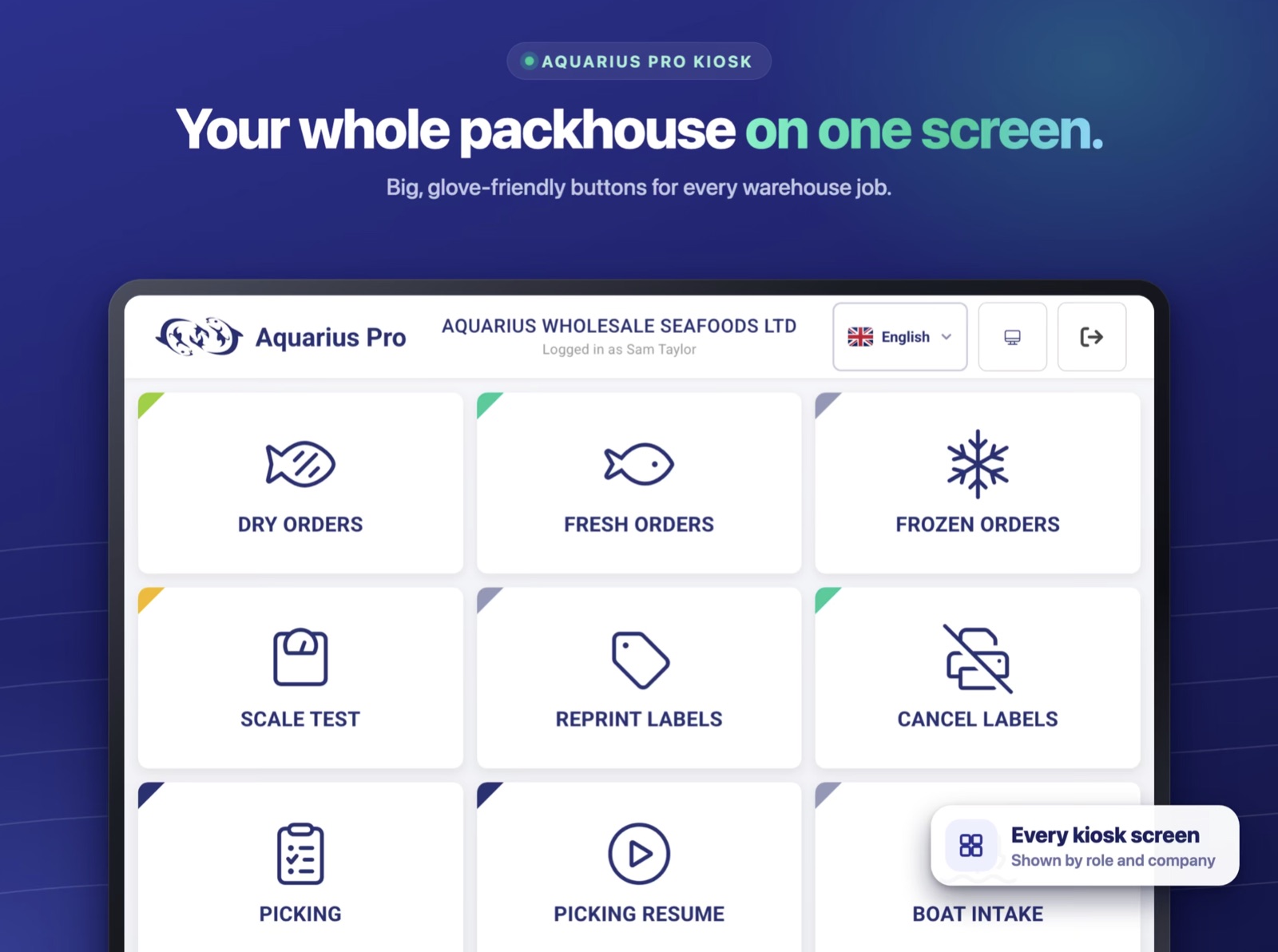
The short answer: Aquarius Pro Kiosk is a new app from ACSS that puts the Aquarius warehouse screens on an iPhone, iPad or Android device. Your team can pick orders, check stock, intake and grading, reprint or cancel labels, and scan barcodes with the device's camera. It is free to download from the App Store and Google Play, and it works with your existing Aquarius Pro account, so there is nothing new to set up in the system itself.
What is Aquarius Pro Kiosk?
It is the warehouse side of Aquarius Pro in an app. Until now those screens have been used on the stations and devices we install. With the Kiosk app, a phone or tablet can do the same job, wherever in the building it is needed.
The app opens your company's own Aquarius system. The screens, the permissions and the data are the ones your administrator has already set up. Nothing is copied into a separate system and there is no second product list or stock count to keep in step.
What can your team do in the app?
- Pick orders by route or by stock line. Work through a delivery round van by van, or pick one product across every order that needs it.
- Work through fresh, frozen and dry orders.
- Check stock levels, intake and grading.
- Reprint and cancel labels.
- Scan barcodes with the device camera. No separate scanner is needed for the app to read a barcode.
How do you set a device up?
Once per device, and it takes a setup code:
- Download Aquarius Pro Kiosk from the App Store or Google Play.
- Ask your Aquarius administrator for a setup code.
- Enter the code in the app. The device is now linked to your company's Aquarius system and your team can start using it.
If you are not sure who your administrator is, or you would like us to walk you through it, get in touch or email enquiries@acss.co.uk.
What do you need to run it?
| Aquarius | An Aquarius Pro account. The app does nothing on its own. |
|---|---|
| iPhone | iOS 16.4 or later |
| iPad | iPadOS 16.4 or later |
| Android | Available on Google Play; the listing shows whether your device is supported |
| Cost of the app | Free to download |
Where does it fit alongside the factory hardware?
The Kiosk app does not replace the weigh-label workstations, trade-approved scales and industrial label printers on the line. Those are built for a job a phone cannot do, and for rooms that are cold, salty and hosed down every day. We wrote about what that takes in scales and label printers that survive a wet fish factory.
Where the app helps is everywhere a fixed station is not: the far end of the cold store, the loading bay, the dry goods shelves, or an extra pair of hands on a busy morning who needs a screen for an hour. If you put a phone or tablet into a wet area, give it a suitable waterproof case. The app does not change what the device itself can stand up to.
For the full range of fixed equipment, see fish factory hardware, and for what the system covers from order to invoice, see the Aquarius system.
Quick answers
Is Aquarius Pro Kiosk free? The app is free to download. You need an Aquarius Pro account to use it.
Does it work on Android as well as iPhone and iPad? Yes. It is on both the App Store and Google Play.
Do staff see everything in Aquarius? No. The app shows the screens and permissions your administrator has set up for your company, the same as on any other Aquarius device.
Do we need to buy barcode scanners to use it? Not for the app. It scans barcodes with the device's own camera.
We don't use Aquarius yet. Can we try the app? Not on its own, because it opens a company's Aquarius system. Book a demo and we will show you the app as part of it.